Apple’s decision to remove the DVI port from the MacBook, MacBook Air and MacBook Pro in favor of Mini DisplayPort, and to offer Mini DisplayPort as the only video connector for the new 24-inch Cinema Display, has raised current compatibility concerns. This has a number of implications:- Continue reading “Apple Mac Mini Displayport raises compatibility concerns”
HDMI Over Cat 5
With CAT 5 and CAT6 network cable costing in the region of £70 for 305m (1000ft) it is ideal for transferring HDMI over long distances,.
An HDMI over CAT6 extender will allow you to extend an HDMI connection using CAT 5e or CAT 6 network cable as a transmission medium. The advantages of using this type of cable rather than HDMI are that you can alter the length of your cable and it is very cheap in comparision wih full HDMI cabling, CAT6 cable is easy to hide in a house, behind walls under floors etc. Network cables are also very easy to terminate and can be done at home by the consumer, an HDMI cable on the other hand would be extremely difficult to terminate. Continue reading “HDMI Over Cat 5”
Run out of Optical Inputs on Surround Sound System
With so many set top boxes and DVD players having optical outputs it is often the case that you run out of optical inputs on the surround sound amplifier. There are a few solutions to this problem:- Continue reading “Run out of Optical Inputs on Surround Sound System”
Lindy HDMI Extender Sends HDMI Over 300m
High end cable manufacturer Lindy Electronics have announced a fibre optic HDMI extender that can send an HDMI signal up to 300m using a single SC duplex multimode fibre optic cable. Continue reading “Lindy HDMI Extender Sends HDMI Over 300m”
Virgin V+ Connections
The Virgin Media V+ box has a variety of connectors to get the picture and sound to your TV, we’ll start off with the picture connections.
The V+ box has 3 video output connections:-
- Scart – The scart connection supports RGB, RGB with composite sync (RGBS) and composite video (CVBS). The V+ box scart connection will only provide a standard definition picture, s-video is not supported so scart to s-video cables will give a black and white picture. If using a CRT or non HD Ready TV then a scart lead can be used to connect video and audio.
- Component Video – The V+ box component video connection will provide a high defintion tv (HDTV) signal, whilst not quite as good as HDMI, HD via a component video cable will give an excellent picture. A component video cable has 3 phono plugs each end coloured Red, Green and Blue, sometimes referred to as an RGB cable, although you will find the connectors marked YUV or YPbPr.
- HDMI – The best connection to use, connect the V+ box with an HDMI cable, this transfers the audio and video digitally with a single cable.
The V+ box has 2 options for connecting sound, you will only need to use these audio outputs if using a component cable which doesn’t support sound or are connecting to a surround sound system:-
- Stereo phono output – Phono connectors provide the left and right audio channels, this output only supports 2 channel stereo sound, use a stereo phono cable to make the connection, if you want surround sound the optical output should be used.
- Optical output (toslink) – The V+ optical connection outputs 5.1 surround sound via single toslink optical cable, a single toslink cable should be connected between the box and the av receiver / surround sound amplifier.
Missing some Channels on Freeview
A common problem when switching from analogue to digital TV (freeview) is that not all channels are received, the most common probelm is the TV aerial. UHF TV channels are grouped by frequency, the aerial groups are A B CD E K & W, group A covers channels 21-37, group B channels 35-53, group CD channels 48-68, group K channels 21-48 and group W (wideband) channels 21-68. If you have, for example, a group A TV aerial and some of the Freeview channels are above channel 37 you may not be able to receive them. Continue reading “Missing some Channels on Freeview”
Pioneer KRP-500A Kuro with separate Media Receiver
KURO means black in Japanese and black is at the very heart of the KURO concept. Blacker than ever, a KURO flat screen TV creates black tones of such depth and purity that every detail, every colour, every shade becomes brilliantly alive.
Just 64mm thin and with a separate media receiver connected using a displayport cable, the KRP-500A is clean and contemporary in design; a centrepiece complementing almost any interior.
The KRP-500A delivers flicker-free images in razor-sharp 1080p resolution. View films coming from Blu-ray in the original 24 frames per second – precisely the same rate at which they were originally filmed and mastered. What you see (and hear) is true to the original. Continue reading “Pioneer KRP-500A Kuro with separate Media Receiver”
VGA Cable only has 14 pins, pin 9 missing
VGA cable has a pin missing is a common issue, the VGA cable pinout lists pin 9 as being a ‘key pin’ that has no function so many manufacturers leave the pin out of the connector, this causes some confusion but for most applications the pin is not necessary. There are however 3 other variants of pinout for the VGA connector, DDC1, DDC2B and DDC2AB. In a VGA DDC Cable pin 9 is used to carry +5 volts, if you are not using DDC a 14 pin cable is fine.
Older LCD and Plasma TVs Stuck with SD
Owners of some older plasma and LCD TVs without HDMI inputs are finding themselves stuck with watching Standard Definition (SD) pictures from HD sources even though they have high resolution panels. Early panels supported High Definition TV HDTV via the component video inputs but many HD devices including Sky HD boxes have now dropped the component video output only leaving HDMI. HDMI to component video converters are available but the HDMI content protection system HDCP forces the component video output down to 480i resolution.
Long HDMI Cables from Techlink
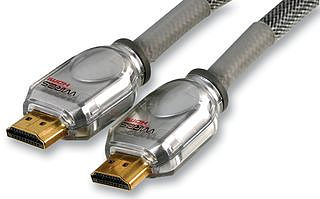 5 star award-winning Techlink HDMI Cables can now be purchased in lengths up to 50m, we tested the 50m HDMI cable using a Sky HD box connected to a Sony Bravia TV and the picture was perfect at the Sky HD maximum resolution of 1920 x 1080i. The long hdmi cables are part of the award-winning Techlink Wires CR range, the range includes almost every type of cable you could need for connecting your TV. The Techlink cables are available in lengths of 1m, 2m, 3m, 5m 10m, 15m, 20m, 30m and 50m.